Description
The Power of DC Suite
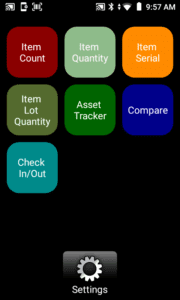 AML’s DC Suite Software is preloaded on the PDX10. DC Suite consists of seven applications designed to complete common barcode data collection tasks, such as cycle counting, asset tracking, serial number and lot tracking, check-in/out, and comparing barcodes. Most users find they can use one of the DC Suite apps as is, right out of the box. DC Console, the desktop application for DC Suite, is “command central” for managing and modifying the DC Suite apps and the data they collect. Data can be uploaded from the PDX10 using a USB cable or a Wi-Fi connection. DC Suite is license-free for lifetime use as it comes included with the PDX10.
 You can also use DC Console to edit existing apps or create new ones— no programming experience required. The user interface is straightforward, featuring check boxes, buttons, and fill-in-the-blank options. Anyone can create a new DC Suite app in a matter of minutes. Note that DC Suite works only with AML mobile devices, and it, along with DC Console, is license-free to any AML user.
Power and Performance
“Under the hood”, the PDX10 is powered by Android 14 running at 2 GHz and backed with 64 GB of storage memory. The integrated Wi-Fi radio is 802.11 a/b/c/g/n/ac compliant, while the WPAN is Bluetooth 5.0. The PDX10 has all the resources needed to run not only DC Suite, but any third-party application or web browser as well.
Barcode Scanning
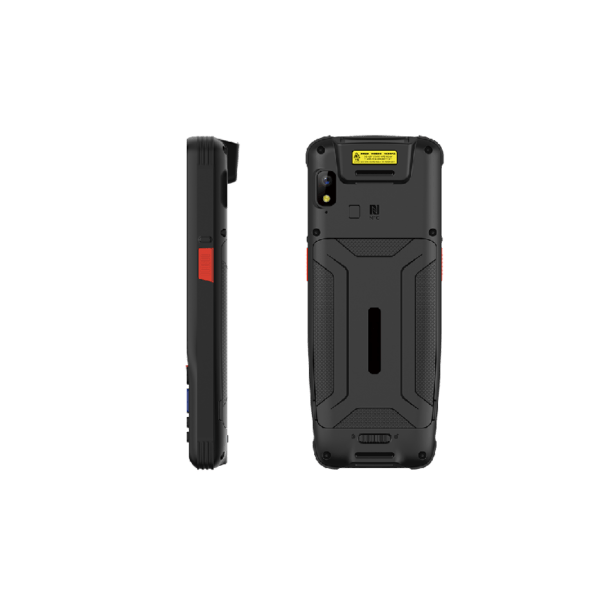
The PDX10 is equipped with a 1.3-megapixel 2D imaging barcode scanner for reading virtually any barcode in any orientation, including 2D barcodes. Typical scan distances are up to 2’ (60cm) for a UPC barcode or 3’ for a 20 mil Code 39. Distances will vary based on several factors including the type of barcode, the quality of the barcode, and the substrate it is printed on.
Touchscreen Display
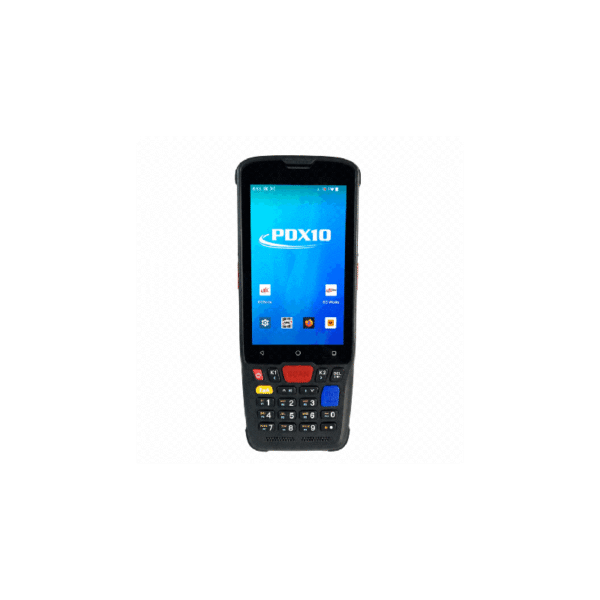
The PDX10 display is a 4” IPS LCD with 800 x 480 resolution, with a capacitive touchscreen. The IPS feature offers improved color accuracy and wider viewing angles compared to conventional displays.
Batteries and Charging Options
The PDX10 has an internal 18.5-watt-hour lithium-ion battery. Charging is accomplished using the supplied USB-C cable and 110V power supply, eliminating the need for additional investment in charging cradles.
Tactile Keypad
Why offer a tactile keypad? In most data collection applications, numeric data entry (like quantities) is generally not scanned with the barcode scanner. It is entered manually, and it needs to be accurate. Unfortunately, touchscreen keypads are inherently not accurate. The onscreen keys are small and with no tactile feedback; users make mistakes, and mistakes cost time and money to correct. There is a reason that smartphones are equipped with auto-correct or “predictive’ software, which works reasonably well with conversant language. Not so much with random numbers like quantities.
Included Software with the PDX10 Mobile Computer
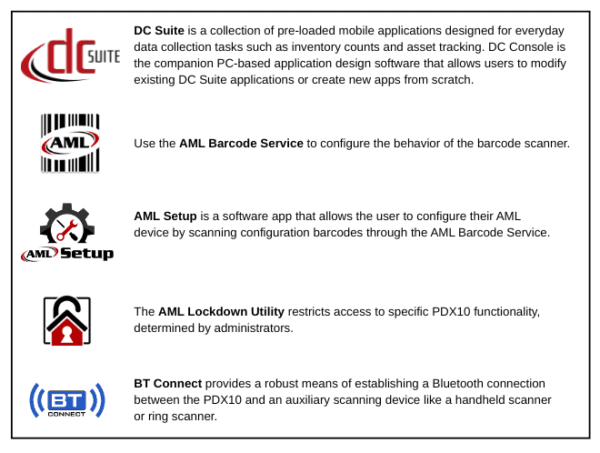
The PDX10 is loaded with software applications and utilities to ease the configuration and deployment of multiple devices. Most of these applications are pre-loaded and license-free.
Optional Software Applications